
School Arrival Notification Apps: A Parent’s Guide
A look at Geopapa
See how the App Store presents these features. Scroll through the images or tap to view a larger preview.
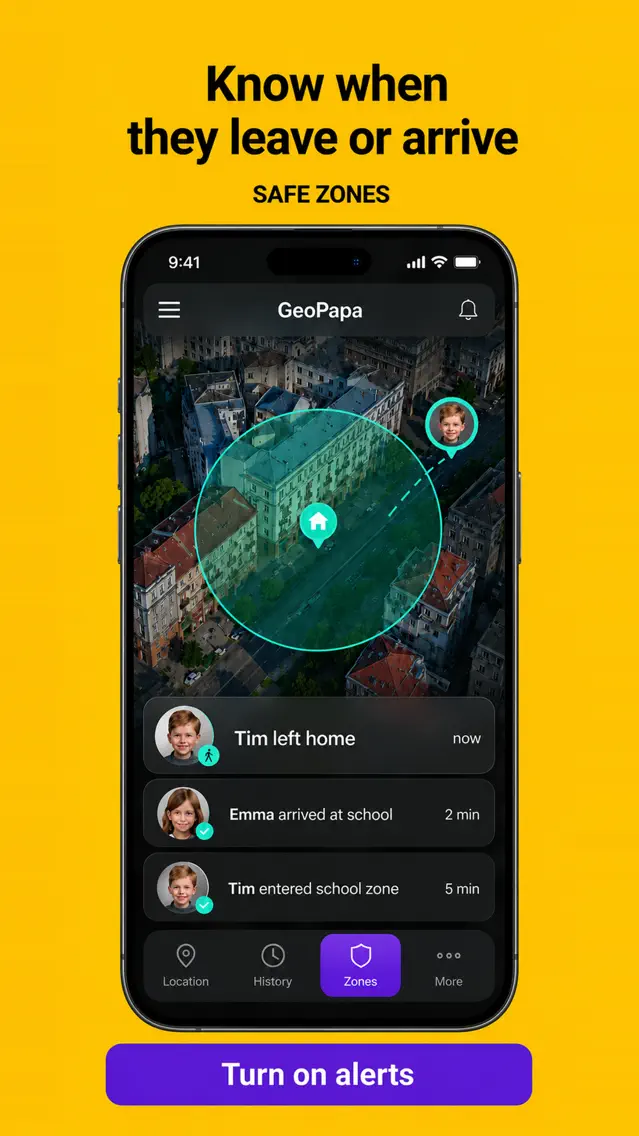
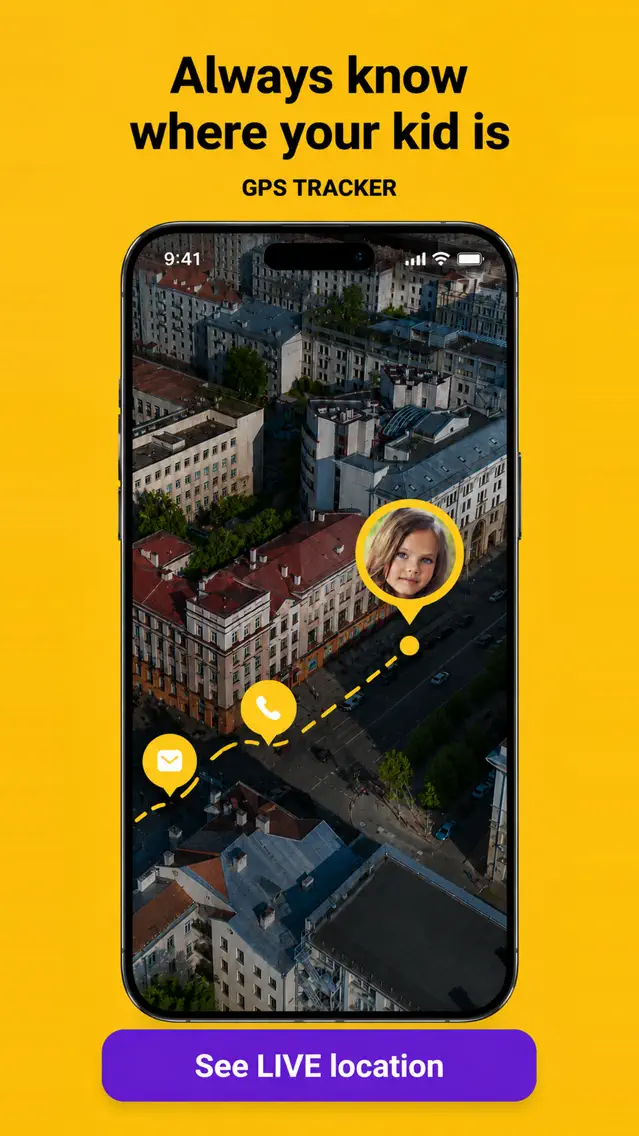
Source: the official Geopapa App Store listing. Promotional previews in English; the interface can vary by version.
New guide · School routines · Sources checked 16 September 2026
A school arrival notification app can tell you when your child’s phone enters an area around school. It helps with an agreed family check-in, but it does not confirm that a child reached a classroom or was marked present. Choose the app by the phones your family uses, then test the alert on your normal route.
This guide is published by the Geopapa team, which has a commercial interest in the app described below. It is separate from the teaching archive. The comparison uses official documentation, not an independent accuracy test. About the publisher.
Which apps can notify you when your child arrives at school?
Start with your child’s device and your existing family setup. An iPhone parent app does not automatically mean that every feature works on an iPhone child’s device. Check the particular pairing you intend to use.
| Option | School arrival alerts | Check before choosing |
|---|---|---|
| Google Family Link | Google documents arrival and departure notifications for saved family places. | Use a supported child device, set up location sharing and enable the required location accuracy setting. |
| Apple Find My with Family Sharing | Apple documents notifications when a family member arrives at or leaves a place. | Check location sharing, the device used to share the location and notification settings within your Apple family setup. |
| Geopapa | Save a school area and choose arrival, departure or both. | Install the parent and child companion apps, connect them by code and enable the required permissions. Check the offer and device support in the app. |
Arrival alerts alone are not a reason to assume you need a paid app: both Google and Apple document them. A dedicated family locator may suit you when you also want recorded location history, family chat and a child-to-parent SOS in the same app.
Geopapa is a GPS tracker for kids who carry a supported phone. It combines those family-location and communication tools. It cannot connect a phone using only its number, and its SOS alerts connected parents rather than emergency services.
A geofence is an area, not an attendance record
A geofence is a boundary configured around a location. When reported positions indicate that the child’s phone has crossed that boundary, an app can generate an alert. The boundary may include the bus stop or the pavement outside school. Reception and the precision of a reported position can affect when the crossing is detected.
Keep three different pieces of information separate:
- The phone’s reported location: where the device was when it supplied the update. Read the timestamp as well as the map.
- A location notification: an event based on the configured area and available reports. Delivery may be delayed.
- School attendance: information maintained through the school’s own process. A family tracking app does not replace it.
If you need to report an absence, change a pickup arrangement or check whether a child is in class, use the school’s approved communication channel. Do not assume a teacher is watching your family map or receiving the same alerts.
Set up a school alert and test it together
- Check the school’s phone rules. A rule requiring a phone to be switched off or stored away can affect location updates. Plan an allowed check-in around that rule.
- Connect the devices before the journey. In Geopapa, start with the parent app and follow its instructions for installing and pairing the correct child companion.
- Review permissions and connectivity. Enable the requested location and background access on the child’s phone and notifications on yours. Confirm that the child’s phone can use the internet away from home Wi-Fi.
- Save the school area. Look at where the boundary falls relative to the entrance, roads and usual drop-off point. Choose the arrival notification you need.
- Walk through one normal arrival together. Carry the phone as usual with its screen locked. Check the report time and where you were when the notification appeared.
- Write down the fallback. Decide who checks a missing notification, how you will contact each other and when to use the school’s official channel. Choose timings for your circumstances rather than copying a universal timeout.
A successful practice run checks your configuration under those conditions. It cannot guarantee the same reception or delivery time on every school day. Geopapa’s school and home arrival-alert guide describes its saved-place workflow.
What to check when an arrival alert is missing or early
The map still shows an older location
Read the last report time. Battery restrictions, permissions or an internet interruption can prevent a fresh position from reaching you. Use the family’s agreed contact plan; refreshing the map cannot reconnect a phone. Review the device settings together when you can.
The notification arrives before the child is inside
Look at the configured school area. Reaching its edge can trigger an arrival while the phone is outside the building. Review that area during a practice trip. Making it arbitrarily tiny is not a reliable fix for imprecise location reports.
The phone is at school but you are unsure about the child
The app locates the connected phone. It cannot establish who is carrying it or whether it was left behind. Follow the contact arrangements you have agreed with your child and the school.
Put the alert into a family check-in plan
Download the free one-page school check-in plan (PDF). It has space for the expected check-in, primary and backup caregiver, the school’s contact procedure and what to do when plans change. Fill it in privately; the worksheet does not send information to this site.
For the afternoon handoff, read our after-school pickup plan. For the wider start-of-term routine, the archive includes preparing for the first day of school.
Try Geopapa with one useful school alert
Connect both phones, check the latest location report and practise an arrival notification before making it part of your routine.
Get Geopapa for ParentsFree to download · In-app purchases. Features and offers vary by device and country; check the current terms in the app.
Questions parents ask
Do I need to give the teacher access to my family locator?
No teacher connection is required for Geopapa’s parent-child setup. Coordinate with school through its normal procedures and share location only with the caregivers you intend to include.
Can I receive alerts without an app on the child’s phone?
Geopapa needs its child companion on a supported phone. Other systems have their own setup and device requirements. The parent app by itself does not create location reports.
Does a school-arrival alert mean my child is safe?
It provides one piece of information about the phone’s reported location. It is not proof of attendance or a safety guarantee. Keep an agreed communication plan alongside it.
Sources and editorial method
We checked the documented features below on 16 September 2026. The setup checklist and worksheet are original planning aids. We did not run comparative accuracy or delivery-speed tests.